Update Software App: Updates
Vidmark Inc.Libraries & Demo
3.979.00 Reviews
- Version
- 2.8
- Installs
- 1.00M
- Age Rating
- Everyone
Screenshots
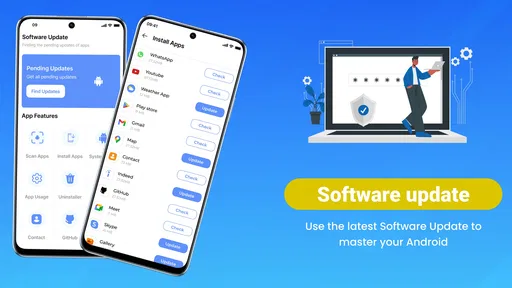
Our Review of Update Software App: Updates
 Analysis by Appyee
If you're like me, keeping your phone up-to-date is both a necessity and a chore. Enter the Update Software App: Updates, a nifty tool designed to streamline the update process on both Android and iOS. Let me tell you, this app is making waves in the app world for all the right reasons.
Why You Should Give It a Spin
First off, let's talk about the obvious: updates are crucial. Whether it's for security patches, new features, or general performance improvements, keeping your phone's software current is a must. The Update Software App: Updates takes the hassle out of this process by offering a one-stop solution to manage all your updates.
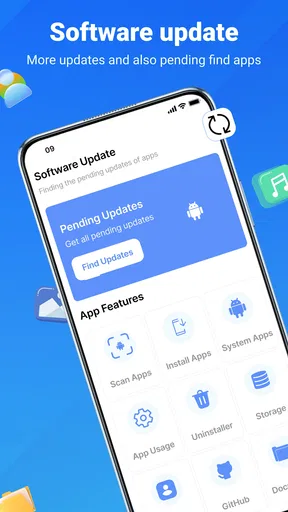
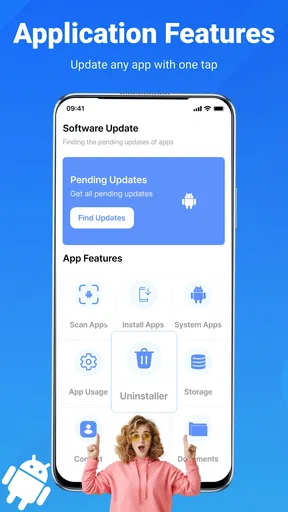
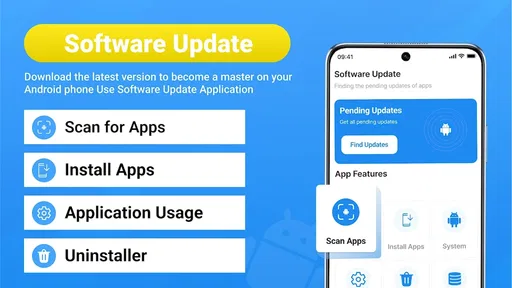
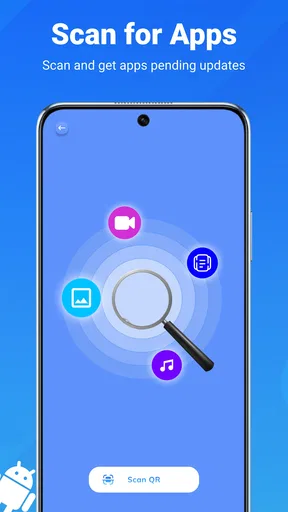
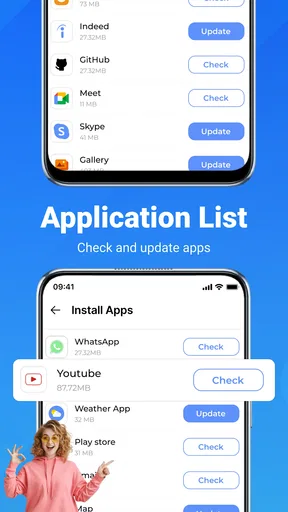
Picture this: instead of sifting through your phone's settings or manually searching for updates, this app does all the heavy lifting for you. It scans your device for outdated apps and software, then provides you with a comprehensive list of what's available for update. It's like having a personal assistant who handles all the boring stuff, leaving you free to enjoy your phone without the nagging worry of outdated software.
Features That Stand Out
One of the features I absolutely love is the app's ability to schedule updates. Yes, you heard that right. You can set it to update apps at a specific time, maybe when you’re asleep or during a downtime. This means no more annoying update notifications popping up while you're in the middle of a Netflix binge or an intense game.
Another highlight is its user-friendly interface. The design is intuitive, and you don't need a tech degree to navigate through it. Everything is clearly laid out, making it accessible for everyone, from tech-savvy teens to grandparents who just want their phones to work smoothly.
Is It Worth Your Time?
In my experience, the app runs smoothly with minimal bugs. It doesn’t hog resources, so your phone's performance remains unaffected while it works its magic in the background. Plus, the app is regularly updated to ensure it stays compatible with the latest operating systems and devices. That’s a win in my book.
However, like all good things, it does have a few quirks. Occasionally, it might list updates that are already installed, but these instances are rare. A quick refresh usually solves the problem, so it's not a dealbreaker for me.
Overall, if you're looking for a hassle-free way to keep your device up-to-date, the Update Software App: Updates is definitely worth checking out. It's got a lot going for it, and it’s clear that the developers have put a lot of thought into making it as user-friendly and efficient as possible. Like I said, it's like having a little assistant in your pocket, and who wouldn't love that?
Privacy and Permissions
See what permissions an app requests and how it handles your data.
- Photos/Media/Files
- read the contents of your USB storage, modify or delete the contents of your USB storage
- Storage
- read the contents of your USB storage, modify or delete the contents of your USB storage
- Wi-Fi connection information
- view Wi-Fi connections
- Other
- view network connections, pair with Bluetooth devices, connect and disconnect from Wi-Fi, measure app storage space, full network access, close other apps, control vibration, prevent device from sleeping, modify system settings, Google Play license check
Verdict
Strengths of Update Software App: Updates
- User-friendly interface for easy navigation.
- Regular updates ensure optimal performance.
- Supports a wide range of devices.
- Notifies when updates are available.
- Customizable update settings.
Limitations of Update Software App: Updates
- Occasional ads can disrupt usage.
- Requires internet connection for updates.
- Some updates may be large in size.
- Limited support for older device models.
- Permissions can seem intrusive.
Other Releases by Vidmark Inc.
View All
Hacker: Secret Codes & Ciphers
Libraries & Demo4.0

USB Connector Cast Phone to TV
Libraries & Demo3.6

Twitter Video Download
Video Players & Editors4.6

Mirror Link Car Display
Libraries & Demo3.9
Similar Picks in This Category
View All
PGT: GFX, Launcher & Optimizer
Trilokia Inc.4.5

AusweisApp Bund
Governikus Service GmbH3.7

Cardboard
Google LLC3.2

Gamers GLTool with Game Tuner
Trilokia Inc.4.5

Multi Web Chat - Read Secretly
World Scan & Cleaner3.8

App Cloner Premium & Add-ons
App Listo1.9
Frequently Asked Questions
What is the Update Software App and how does it work?
The Update Software App is designed to help users keep their Android devices up-to-date by scanning for available software updates. It checks for updates to both the operating system and installed apps, providing a convenient way to ensure your device runs smoothly and securely. Simply open the app, and it will guide you through the update process.
Is the Update Software App safe to use?
Yes, the Update Software App is safe to use. It focuses on delivering official updates directly from the device manufacturer or app developers. The app itself doesn't install any third-party software or dubious updates, ensuring that your device remains secure while improving its performance and stability.
Can the Update Software App improve my device's performance?
Absolutely! Keeping your device updated can enhance its performance by fixing bugs, optimizing system processes, and introducing new features. The Update Software App facilitates this by ensuring you have the latest updates installed, which can lead to faster load times, improved battery life, and a more enjoyable user experience.
Does the Update Software App work on all Android devices?
The Update Software App is compatible with most Android devices, but functionality may vary depending on the manufacturer and model. Some devices might have restrictions based on the operating system version or hardware specifications. Always check the app's compatibility with your specific device before downloading.
Are there any costs associated with using the Update Software App?
The basic features of the Update Software App are typically free, allowing you to scan for and install updates without cost. However, some advanced features or ad-free versions might require a purchase or subscription. Always review the app's pricing details on the download page to understand any potential costs.
